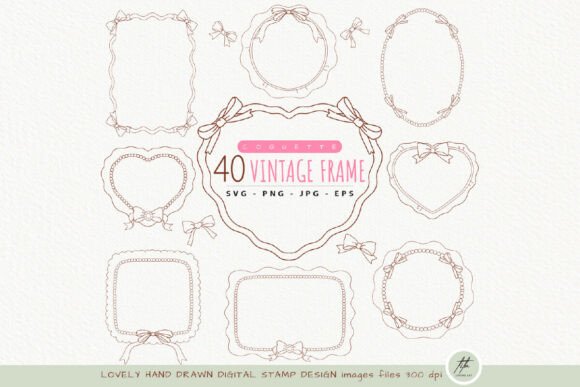
Coquette Frame Clipart: A Guide to Vintage Design
If you have been scrolling through social media or browsing design marketplaces lately, you have likely noticed a surge in soft, romantic aesthetics centered around bows, lace, and delicate lines. At the heart of this trend is Coquette Frame Clipart, a collection of digital assets designed to bring a touch of vintage charm to modern projects. Whether you are a small business owner creating packaging for handmade soaps, a teacher designing classroom decor, or a hobbyist making greeting cards, these hand-drawn elements offer a versatile way to elevate your visual content without needing advanced illustration skills.
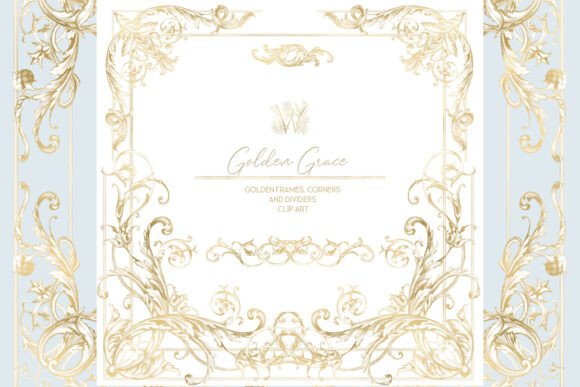
Essentially, coquette frame clipart consists of decorative borders and outlines that feature signature ribbon bows, doodle-style lines, and vintage-inspired flourishes. Unlike rigid, geometric frames, these designs feel organic and whimsical. They often mimic the look of ink sketches or watercolor illustrations, providing a human touch that sterile stock photography often lacks. The appeal lies in their ability to soften a design, making it feel more personal, inviting, and feminine.
Why Choose Hand-Drawn Digital Stamps?
The primary value of using a dedicated set of hand-drawn frame SVG and PNG files is consistency and quality. When you download a comprehensive pack, you aren't just getting one or two images; you are gaining a cohesive library. A typical high-quality collection includes dozens of variations, such as ribbon bow frame PNG files with transparent backgrounds and outline-only versions. This variety is crucial because it allows you to adapt the same aesthetic to different background colors and materials.
For instance, having both "white filled" and "outline only" options gives you immediate flexibility. If you are designing a dark-themed invitation, the white-filled frames pop beautifully. Conversely, if you are working on a light pastel background, the outline versions provide structure without overwhelming the text inside. The inclusion of doodle vintage frame clipart specifically targets those looking for a nostalgic feel, reminiscent of old-fashioned stationery or Victorian-era labeling.
Another significant advantage is resolution. Professional-grade clips come at 300 dpi (dots per inch). This technical specification ensures that whether you are printing a small sticker or a large poster, the lines remain crisp and clear. Pixelation is the enemy of professional design, and starting with high-resolution RGB color mode files guarantees that your final output looks polished.
Versatile File Formats for Every Creator
One of the most frustrating aspects of digital design is downloading a file only to realize it isn't compatible with your software or hardware. A robust coquette clipart bundle solves this by offering multiple file types tailored to different workflows.
- PNG Files: These are the workhorses of digital design. With transparent backgrounds, they can be dragged and dropped directly into programs like Canva, Photoshop, or Procreate. A standard pack might include 40 PNGs with white fills and another 40 with just outlines, giving you 80 immediate options for digital layouts.
- SVG Files: For those who own cutting machines like Cricut or Silhouette, SVG (Scalable Vector Graphics) files are essential. Unlike pixels, vectors use mathematical paths, meaning they can be scaled up or down infinitely without losing quality. Having 40 SVG files with white fills and 40 outline-only SVGs means you can cut these designs out of vinyl, cardstock, or heat transfer material for physical crafts.
- JPG and EPS: Sometimes you need universal compatibility. JPG files with white backgrounds are ready to print immediately, while an editable EPS file allows graphic designers to manipulate the vector paths in software like Adobe Illustrator for custom modifications.
This diversity in formats ensures that whether you are a tech-savvy entrepreneur or a beginner just starting with digital crafts, you have the right tool for the job.
Practical Uses for Personal and Business Projects
The applications for decorative bow frame outline digital stamps are nearly endless. Because the coquette aesthetic is currently very popular, integrating these frames can instantly make your brand feel trendy and relevant. Here are several realistic ways to utilize these assets:
Small Business Branding and Packaging
If you sell handmade jewelry, candles, or baked goods, presentation is everything. You can use these frames to design product labels, thank-you cards, or social media posts. Imagine a jar of honey with a label featuring a delicate ribbon bow frame surrounding your logo. It adds a layer of perceived value and care that customers appreciate. The transparent background feature makes it easy to overlay these frames onto photos of your products for Instagram stories or Pinterest pins.
Educational Resources and Classroom Decor
Teachers and educators can use these frames to create engaging worksheets, certificates, or bulletin board borders. The "doodle" style feels approachable and fun for students. Additionally, many packs include A4 coloring pages. These are fantastic for quiet time activities, allowing students to engage with the art creatively while developing fine motor skills.
Digital Planning and Stationery
The stationery community is vast, with many people creating digital planners for tablets or printing their own agendas. Coquette frames serve as perfect section dividers or decorative headers. Since the files are typically sized between 5 to 10 inches, they fit perfectly on standard letter or A4 paper layouts without requiring excessive resizing.
Event Invitations and Scrapbooking
For weddings, baby showers, or birthday parties, these frames add a romantic touch to invitations. You can place the event details inside the bow frame, creating a focal point that draws the eye. Scrapbookers also benefit from the variety; the mix of filled and outline frames allows for layering techniques that add depth to memory pages.
Important Considerations Before You Start
While these digital assets are user-friendly, there are a few things to keep in mind to ensure the best results. First, always check the licensing terms. Most creators allow for personal and commercial use, but some may have restrictions on the number of items you can sell or require attribution. Understanding these boundaries protects your business and respects the original artist.
Secondly, consider your color palette. While many coquette frames come in black or white, the beauty of the design often shines when you recolor them to match your specific theme. In software like Canva or Illustrator, you can easily change the color of the SVG or PNG (if it's a solid shape) to match soft pinks, sage greens, or creamy beiges typical of the coquette style.
Finally, don't overlook the power of layering. You don't have to use the frame exactly as it is. Try placing a solid color shape behind an outline frame to create a badge effect, or rotate the frame slightly to give it a more casual, hand-placed look. The "no watermark" guarantee in quality packs ensures your final design looks professional and unbranded.
In summary, incorporating Coquette Frame Clipart into your workflow is a simple yet effective way to enhance your creative projects. With high-resolution files, versatile formats like SVG and PNG, and a charming hand-drawn aesthetic, these tools empower creators of all levels to produce beautiful, cohesive designs. Whether you are cutting vinyl for a craft fair or designing a digital newsletter, these decorative elements provide the perfect finishing touch.